Before UniTrack
Scattered Files in Chat Groups
Important lecture PDFs, lab sheets, and past papers get buried under hundreds of daily messages and expire when phones clear media caches.
Keep every lecture PDF, assignment deadline, attendance register, and exam datesheet seamlessly synchronized across Android, iPhone / iOS PWA, Windows PC, and the Super Admin Dashboard—even when campus Wi-Fi goes offline.
University coursework breaks down when critical slides, lab manuals, and deadlines live inside noisy chat threads. UniTrack was engineered specifically to bridge students, class representatives, and cohort administrators.
Important lecture PDFs, lab sheets, and past papers get buried under hundreds of daily messages and expire when phones clear media caches.
Exam datesheets posted as photos and strict battery savers silencing standard notifications cause avoidable missed quizzes and late submissions.
Basement lecture halls and congested university networks block cloud drives right before labs and viva exams when students need slides immediately.
Class representatives and coordinators waste hours sorting attendance sheets manually and checking who is missing which study handout.
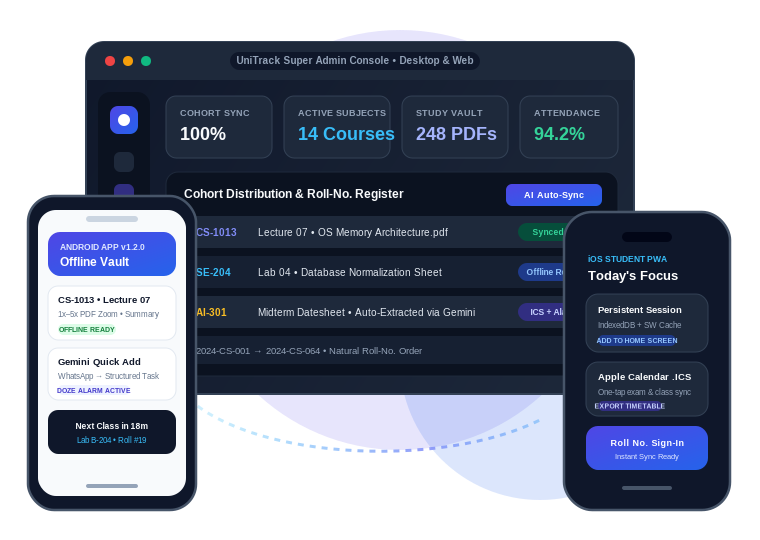
Built with native Android precision, persistent iOS web architecture, and an executive Windows & Web command center.
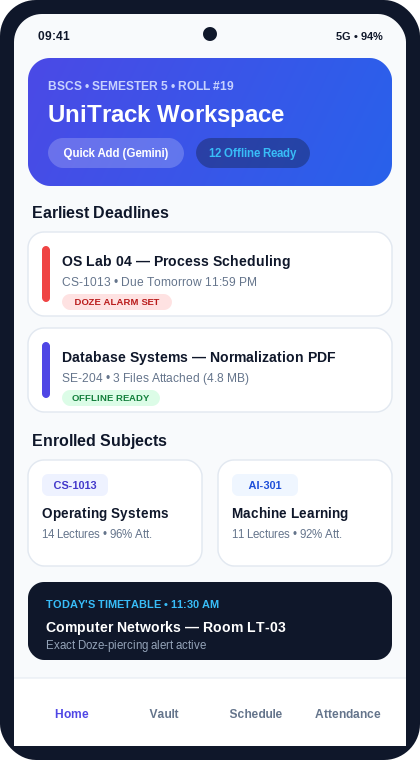
On-demand offline caching marks slides as Offline Ready, supports multi-file attachments, includes a smooth 1x–5x pinch-to-zoom PDF reader, and generates one-tap Topic Summary Sheet PDFs for instant sharing.
Paste messy WhatsApp class announcements or snap whiteboard and printed datesheet photos to automatically extract structured lectures, course codes, rooms, and submission deadlines.
Automatic earliest-deadline-first task sorting keeps urgent work on top, paired with a weekly class timetable, live exam datesheet countdowns, and one-tap Apple Calendar (.ics) export.
Engineered with exact alarm scheduling and high-priority channels so critical morning classes, lab submissions, and exam reminders fire reliably on time even under aggressive phone battery savers.
Natural Roll and Registration No. sorting powers subject and lab attendance registers with clean A4 PDF export, paired with smart topic-matched cohort file distribution across every student.
Real-time Firebase Firestore metadata and Cloudinary CDN file delivery keep your study vault and cohort records synchronized across Android, iOS Home Screen PWA, Windows Desktop .exe, and Web.
Explore every UniTrack surface below. Click any device preview to inspect it in full-screen zoom mode.
Choose your platform below. Student accounts work across Android and iPhone with instant Roll-No. or Google Sign-In.
.apk)Full offline-first Jetpack Compose app with Gemini Quick Add, 1x–5x PDF reader, Doze-piercing reminders, and Topic Summary PDF export.
Persistent iOS Progressive Web App with zero re-login, offline IndexedDB vault, Roll-No. login, and one-tap Apple Calendar (.ics) sync.
Desktop Student Portal with Roll-No. or Google Sign-In, local offline disk caching for slides and timetables, and automatic background sync.
.exeStandalone Windows 10/11 desktop app and live web Command Center for Gemini cohort cleanup, AI Auto-Resolve sync, Roll-No. registers, and OTA updates.
.exe installer with local offline cache or open the Super Admin Portal directly in your browser.
Quick answers covering APK sideloading, iPhone Home Screen setup, Roll-No. sign-in, offline study access, Windows desktop builds, and student data privacy.
Download the latest .apk from the Platforms & Downloads hub above and open it from your Downloads folder. If Android prompts for permission, allow installs from your browser in Android Settings; if Google Play Protect shows a standard sideload notice, tap More details → Install anyway. Once installed, UniTrack's built-in OTA updater automatically notifies you whenever a newer release is published.